Why online job applications go into a void
You find a role you want. You fill in a form that asks you to retype a resume you have already attached. You press submit, a page thanks you, and then nothing happens — not a rejection, not a delay, nothing. A month later you are still refreshing a portal that has said 'Application received' since the day you sent it.
The uncomfortable part is that this is working as designed. A posting that attracts hundreds of applications is filtered long before a human reads it, and the filter is not looking for the best person. It is looking for the cheapest way to get the pile down to a shortlist.
Meanwhile the people who actually make the hiring decision — the engineering manager with a gap on their team, the recruiter whose quarter depends on filling it — read their own email. They are reachable. Almost nobody reaches them.
The two of us got our last jobs this way, by hand, in spreadsheets. HyredFast exists because doing it by hand is miserable and we kept losing track of who we had written to.
What HyredFast actually is
HyredFast is cold outreach for one job search. You add the companies you want to work at, write one pitch, and it sends from your own mailbox on a schedule you set, follows up until someone answers, and stops the moment they do.
It is deliberately not a sales tool. There is no lead database to buy, nothing sends in bulk, and it will not hand you a list of strangers. You choose who to write to, and you are writing about a real job you want.
Write it once, with variables
The email is written once, with placeholders for the things that change: the role, the company, the person's name. Everyone receives a version that reads as though it was written for them, because in every way that matters it was.
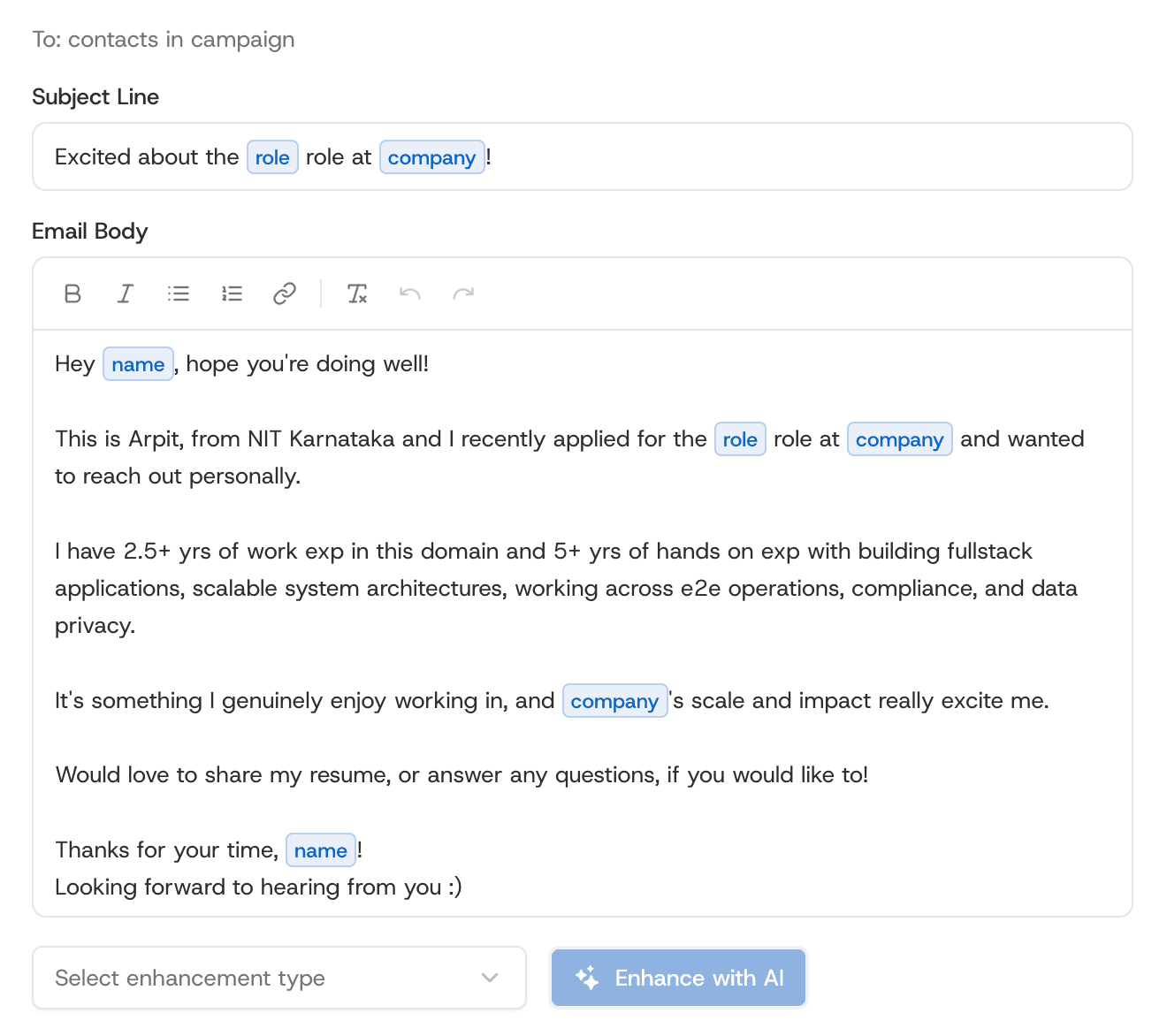
A word on the AI: it is there to cut your draft down, not to produce one from nothing. A generated email reads like a generated email, and the people you are writing to receive several a day.
Follow-up emails after a job application, sent for you
Most replies do not come from the first email. A follow-up email after a job application is where the answers actually come from — the second or the third, sent a few days apart, into the same thread. It is also the part nobody keeps up by hand. It is easy to send fifty first emails and manage four follow-ups.
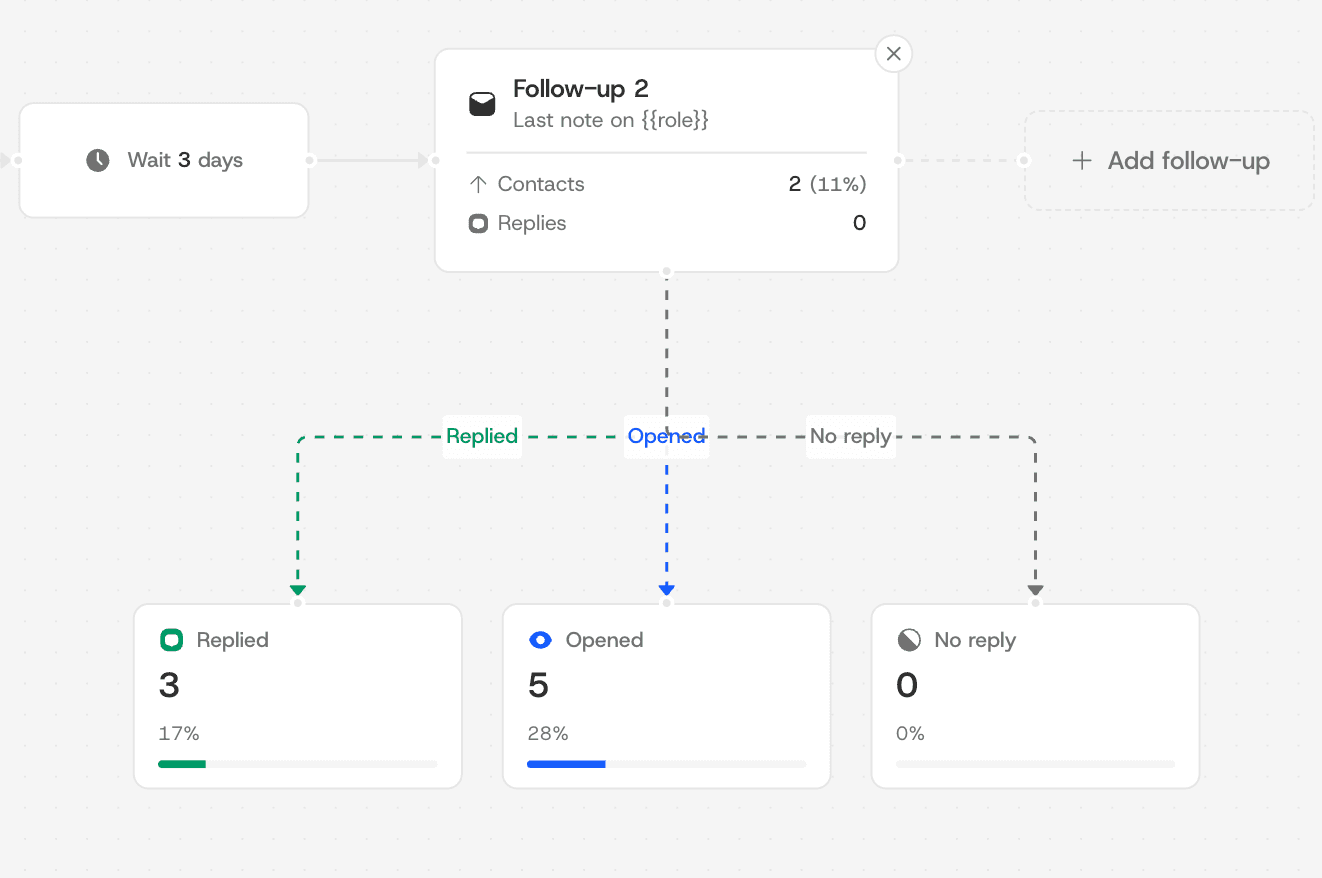
- Up to four follow-ups, threaded into the original conversation.
- A reply or a bounce stops the sequence for that person automatically.
- Delivery windows and daily limits you set, per mailbox.
- A one-click unsubscribe on every email, and a suppression list that is honoured.
Finding the hiring manager or recruiter to email
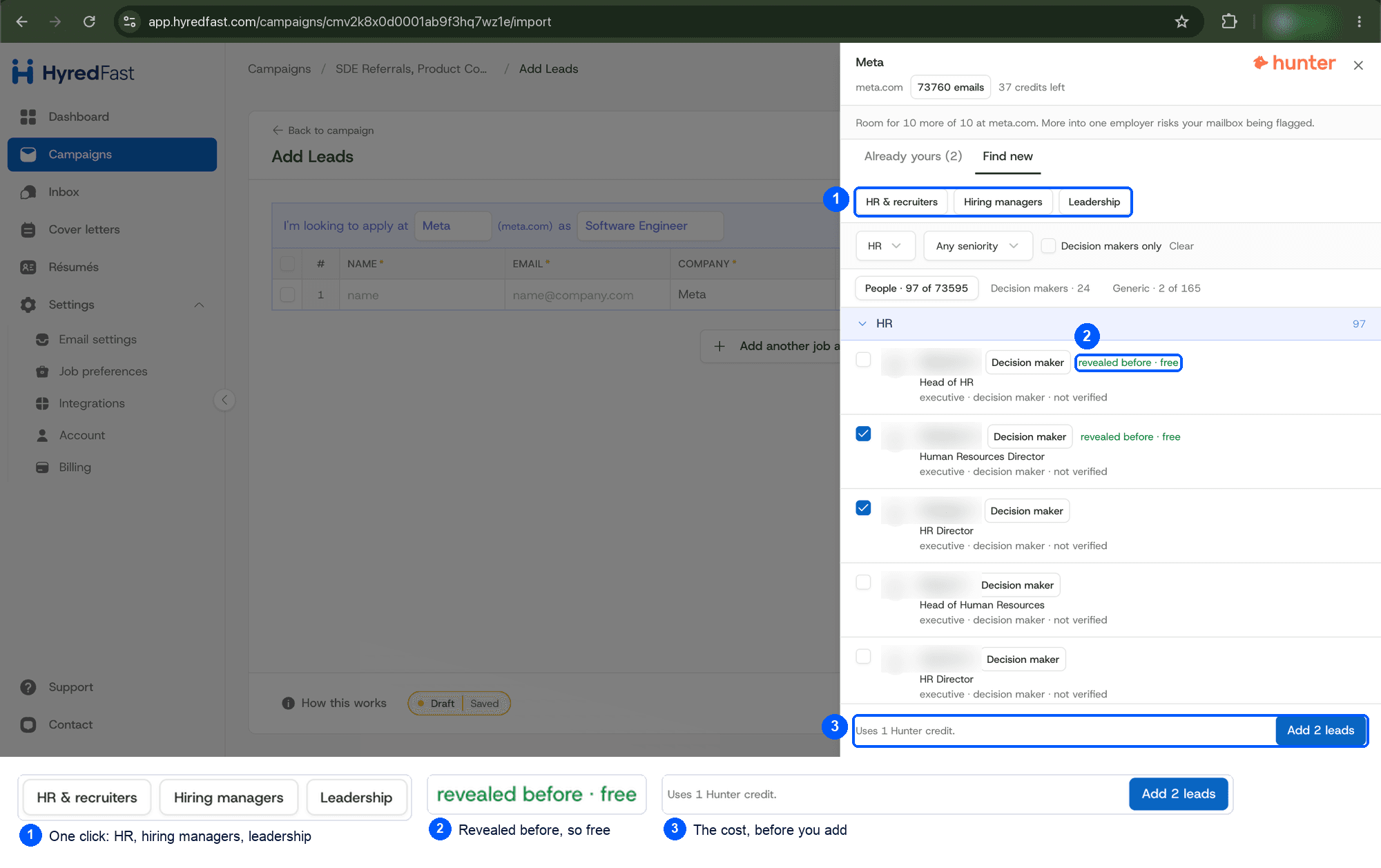
Connect a Hunter account and you can search a company and pull up its recruiters, hiring managers and leadership. Connect MillionVerifier and every address is checked before anything is sent to it, because bounces are what wreck a sender's reputation.
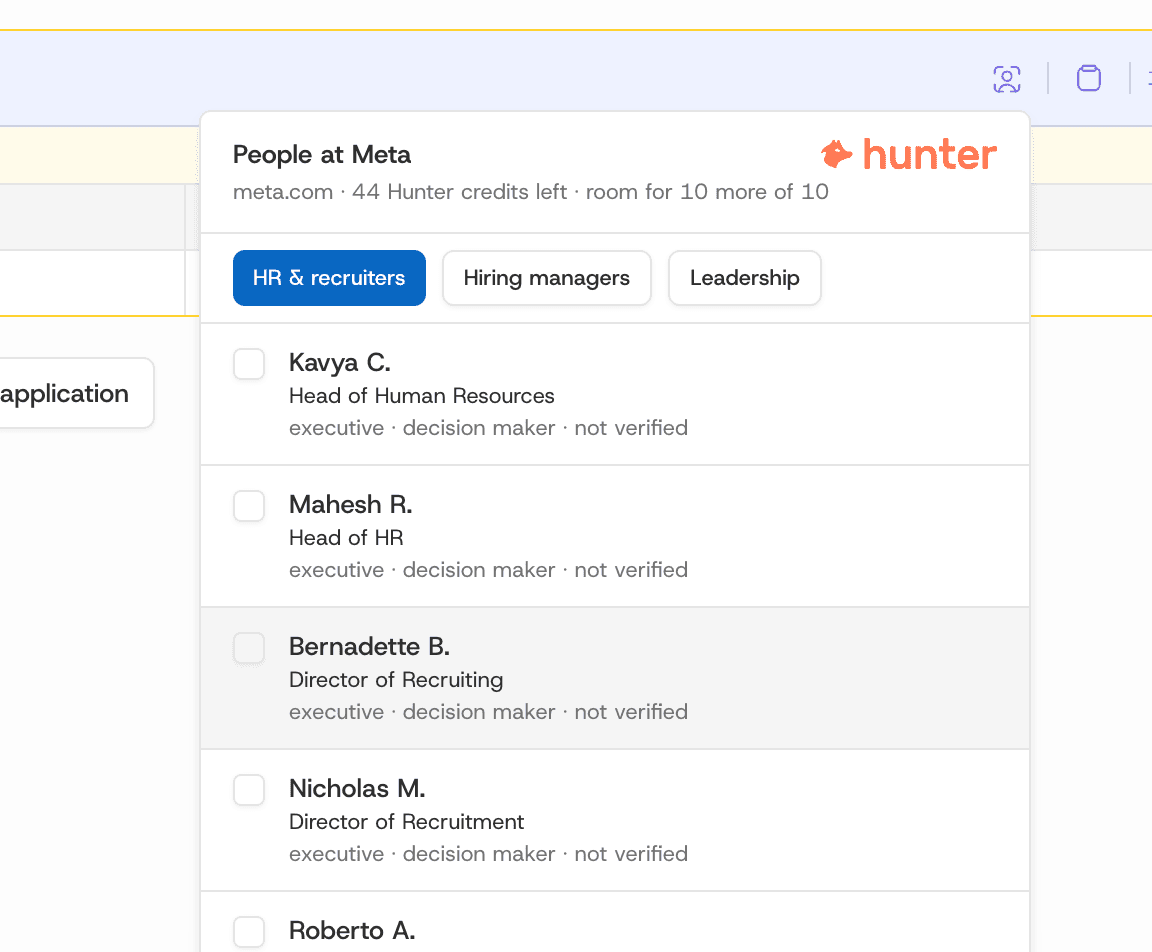
Both run on your own API key. You pay Hunter and MillionVerifier directly, and nothing you find is shared with anyone else using HyredFast — their terms forbid one account's data being served to many users, and we would rather not be the company that tried.
A job application tracker that updates itself
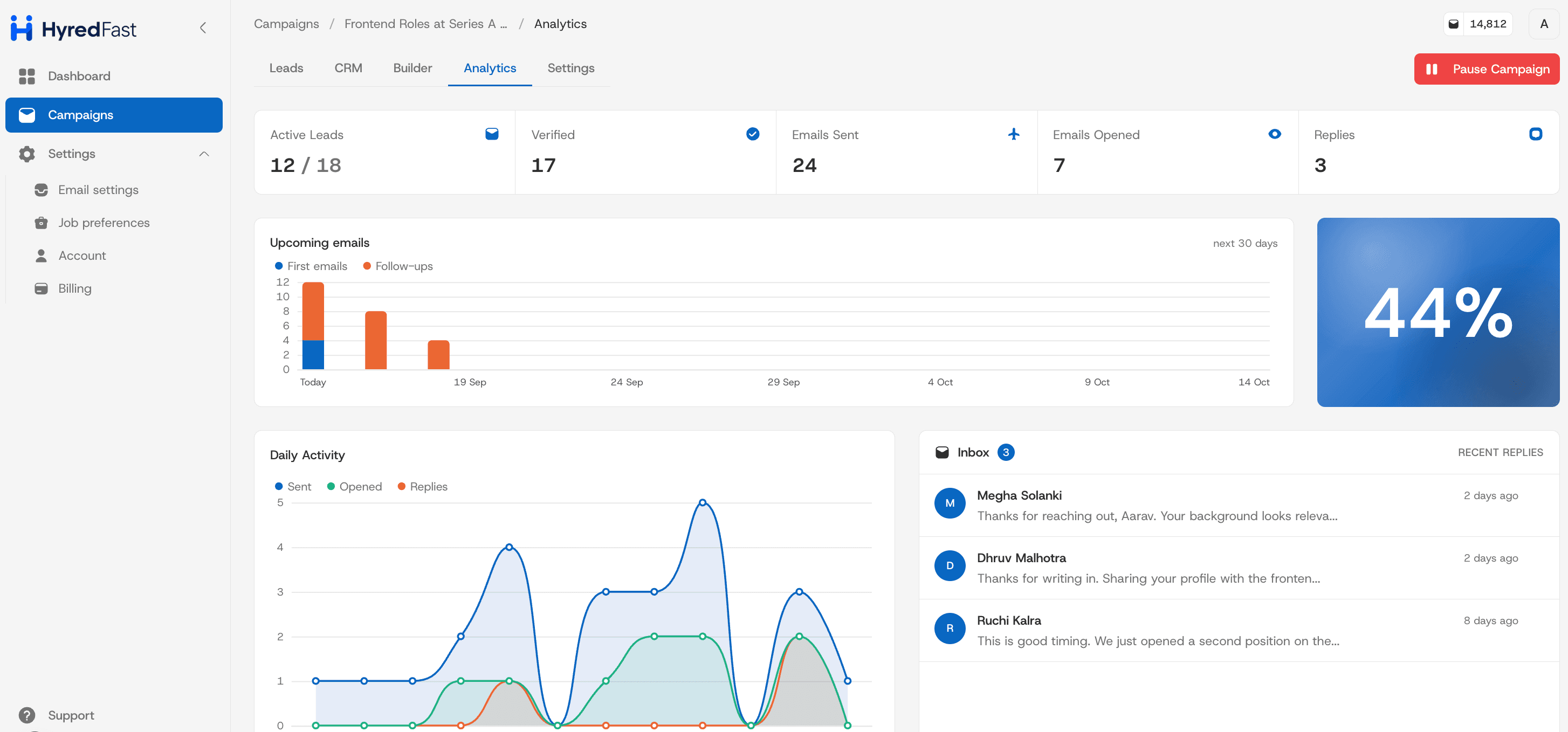
The job application tracker most people keep is a spreadsheet they stop updating in week three. Here everyone you write to moves across a board on their own, from the first email through to an interview booked. You can drag someone along yourself when it needs a nudge, but the point is that you are not maintaining it.
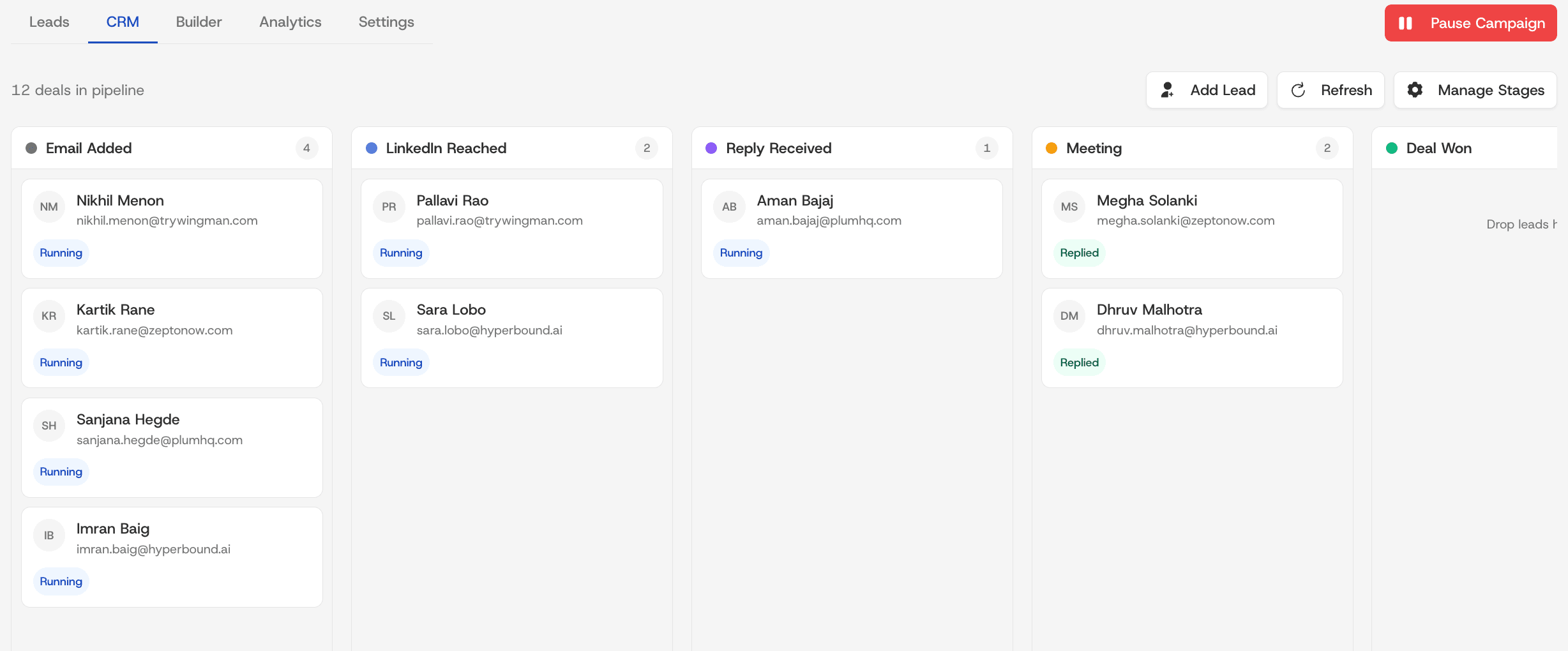
Replies land in a single inbox rather than scattered across threads, and the conversation carries on in your own email client like any other. Nothing about the exchange reveals that the first message was scheduled.
Is this allowed?
This is the question we get most, and it deserves a straight answer rather than reassurance.
Will it get my Gmail banned?
Pacing, per-mailbox daily limits, the ten-contacts-per-company cap and a plain-text alternative on every email all exist for this. You set the ceiling. It sends like a person because it is sending as one — from your mailbox, at a rate a person could plausibly type.
Is it okay to email someone I have not met?
You are writing one person at a time, from your own address, about a real job, with a working unsubscribe and a suppression list that is honoured. That is a personal email. It is not a marketing blast, and it is not what anti-spam law was written to stop.
The line worth holding is the one about volume. Writing to the four people who would actually work with you is outreach. Writing to everyone at a company whose address you can guess is something else, and it is the reason the caps are not configurable upwards.
Where to start
Every account gets 150 emails every three months, free, with no card. That is roughly fifteen companies at ten contacts, or thirty at five — enough to find out whether writing to people works better for you than a form does.
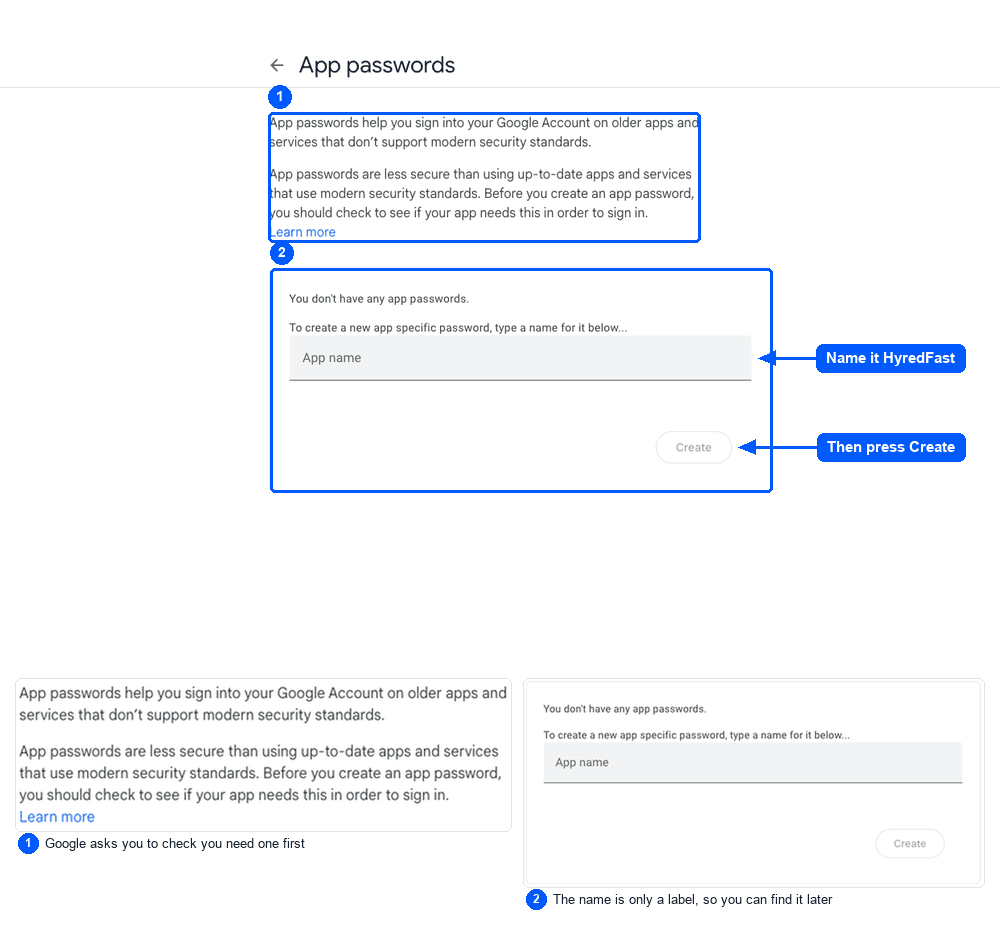
- Connect the mailbox you already use. Gmail needs an app password; SendGrid, Amazon SES, GoDaddy, or any host over plain SMTP work too.
- Add three or four companies you genuinely want to work at. Not thirty.
- Write one email you would be happy to receive, and let the variables do the rest.
- Set a daily limit you are comfortable with and leave it alone for a fortnight.
The last one matters more than it sounds. The temptation is to send everything on the first day; the thing that actually produces replies is a steady, small number going out while the follow-ups catch up with the people who did not answer.